---
title: "Initera — Initialize. Iterate. Ship. | Initera"
description: "Plan projects, track issues, run cycles, and record time in a local desktop workspace."
canonical_url: "https://initera.app/"
meta:
author: "Rahul Vashishtha"
"og:description": "A local desktop workspace for projects, issues, cycles, and time tracking."
"og:image": "https://initera.app/og-image.png"
"og:image:alt": "Initera — Initialize. Iterate. Ship."
"og:image:height": "630"
"og:image:width": "1200"
"og:title": "Initera — Initialize. Iterate. Ship."
"twitter:image": "https://initera.app/og-image.png"
---
> Index of every page on this site: [llms.txt](https://initera.app/llms.txt)
# Initialize.
*Iterate. Ship.*
Plan projects, track issues, and keep the next step in sight. Move from a task to the project around it without losing the details.
[**Get started **](https://initera.app/download) **Explore features**
Project overviewINITERA / DESKTOP
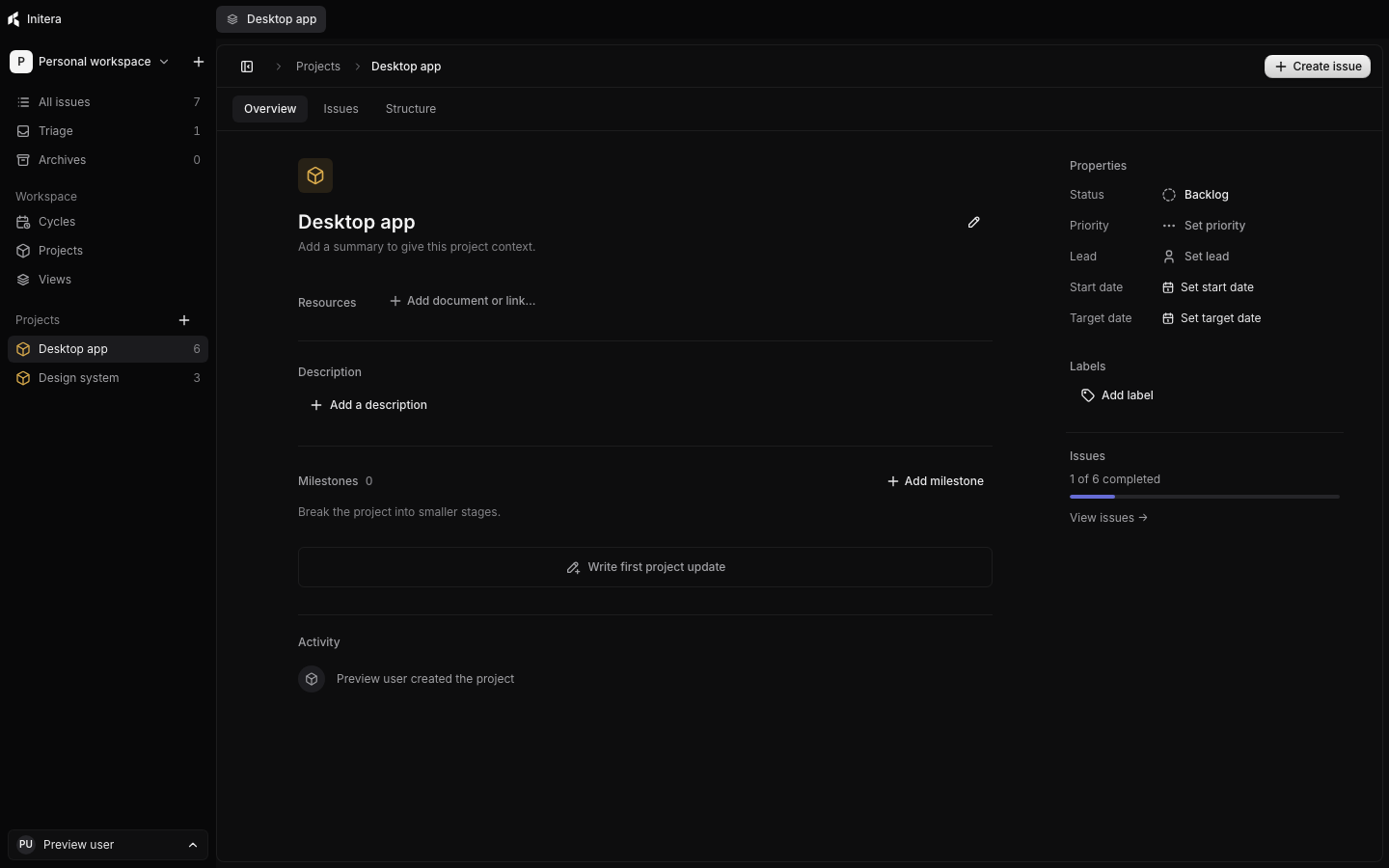
One place for the plan and the work behind it.
THE WORKSPACE
## Start with the issue.
See the whole picture.
A good plan survives contact with the details. Keep tasks, project context, and progress close enough to act on.
01
### Issues that stay organized
Give work a status, priority, label, owner, and due date. Break it into sub-issues, link dependencies, and follow the activity as it changes.
[Learn about issues](https://initera.app/issues/issues)
02
### Projects with context
Keep the summary, resources, milestones, and updates beside the issues they explain. See what is done and what still needs attention.
[Learn about projects](https://initera.app/projects/projects)
03
### A rhythm for the next stretch
Group issues into cycles, plan recurring periods, and decide where unfinished work goes when a cycle ends.
[Learn about cycles](https://initera.app/planning/cycles)
SEE THE WORK
## The details are there when you need them.
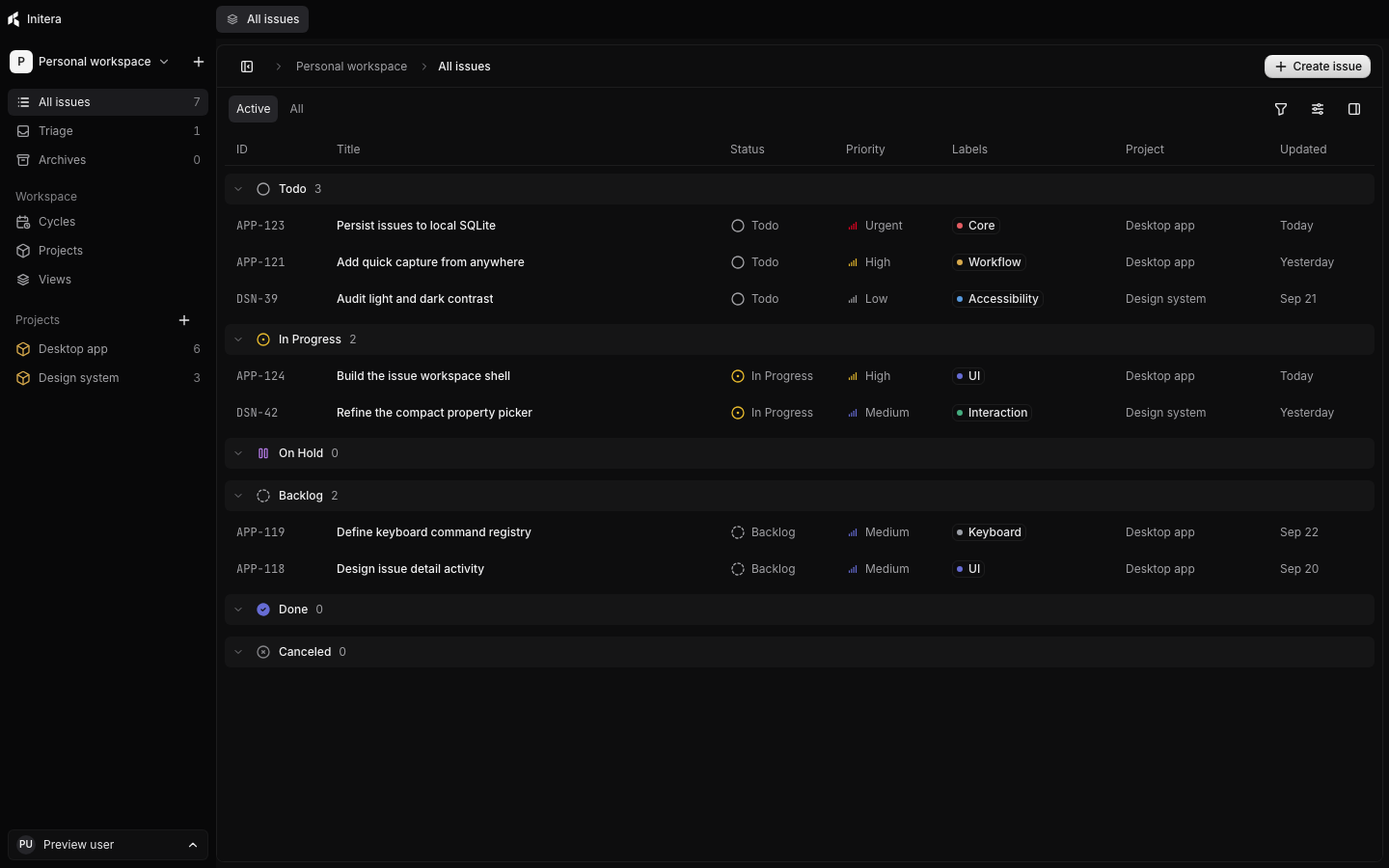
Move from a compact list to a board, filter the work in front of you, and open an issue to see its context. The view stays quiet until you need to act.
[Explore issue tracking](https://initera.app/issues/issues)
HOW IT FITS YOUR DAY
## Find it. Move it. Keep going.
### Stay with the keyboard
Search issues and projects, open a view, or run an action from the command bar.
[Command bar guide](https://initera.app/reference/command-bar)
### Know where time went
Run a timer while you work, add past entries, and review time across the workspace.
[Time tracking guide](https://initera.app/planning/time-tracking)
### Work stays local
Your workspace lives on your computer. Export a portable backup with images when you need one.
[Backup guide](https://initera.app/reference/backups)
YOUR NEXT STEP
## Put a little more order into the work.
Start a workspace, add one issue, and build from there.
[**Run Initera **](https://initera.app/download)
```json
{"@context":"https://schema.org","@graph":[{"@id":"https://initera.app/#website","@type":"WebSite","name":"Initera","url":"https://initera.app/"},{"@id":"https://initera.app/#webpage","@type":"WebPage","description":"Plan projects, track issues, run cycles, and record time in a local desktop workspace.","name":"Initera — Initialize. Iterate. Ship.","url":"https://initera.app/","isPartOf":{"@id":"https://initera.app/#website"},"potentialAction":[{"@type":"ReadAction","target":["https://initera.app/"]}]}]}
```
## Sitemap
See the full [sitemap](https://initera.app/sitemap.md) for all pages.